
Wi-Fi Installation Melbourne
Get Wi-Fi installation in Melbourne that is planned around the way your property actually works. Next Antenna helps homes and small businesses with modem and router setup, mesh Wi-Fi, wireless access points, coverage checks, device connection and final testing.
The goal is simple: fewer dead zones, stronger signal where you need it, cleaner setup and a network that suits your rooms, devices and internet connection. Whether the problem is weak Wi-Fi upstairs, slow streaming, poor office coverage or smart devices dropping out, the setup needs to match the property layout.
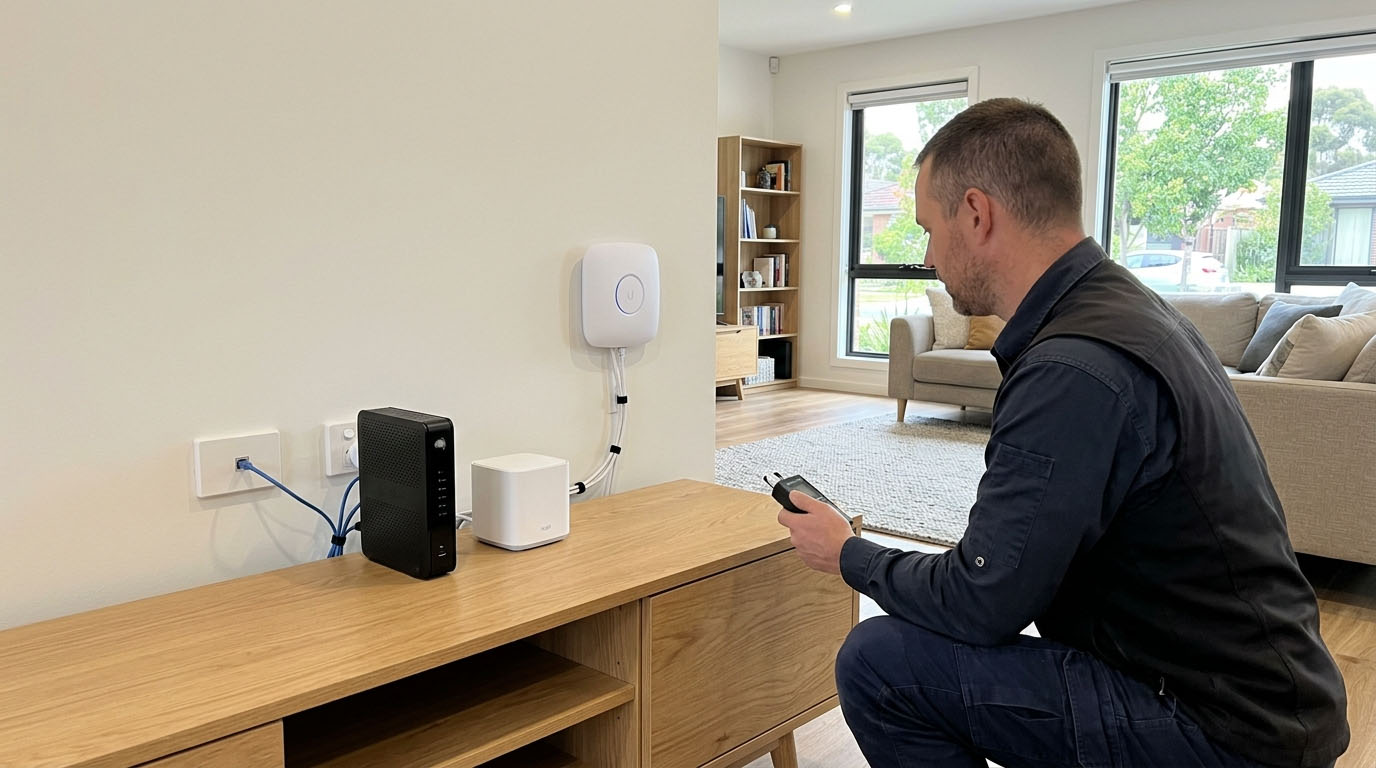
Planned Wi-Fi coverage
Router, modem, mesh Wi-Fi and access point locations are considered around rooms, walls, device use, signal strength and dead zones.
Installed and tested
The setup can include router configuration, access point placement, device checks, signal testing and basic handover before the job is finished.
Homes and businesses
Support for houses, units, shops, offices and other Melbourne properties that need practical Wi-Fi and network setup.
Great service from Next Antenna, prompt, friendly and reasonably priced. The installation at our home was completed neatly, and everything works perfectly.
Vinod Chavda
We recently used Next Antenna for work at our house and had a fantastic experience. The technician arrived on time, explained everything clearly and completed the job with great care... Read more
Parth Chavda
I had a fantastic experience with Next Antenna. The service was professional, reliable and very well organised from start to finish. They clearly know their work... Read more
Dee Patel
Highly recommended he installed starlink very quickly and professionally.
Muhammad Asim Raza
Insured, registered and trained for clean installations
Next Antenna brings practical installation experience to Wi-Fi, network and connected-property work. That matters when the job involves cabling, wall plates, access points, roof spaces or hardware placement.
Public Liability Insured
Insurance cover for professional installation work around homes and business properties.
Security Licensed
Licensed support where connected-property work overlaps with security, CCTV or alarm-related systems.
ACMA Registered Cabler
Registered cabling support for data, telecommunications and connected network systems.
Working at Heights Trained
Training for safer roof, access and mounting work where the installation requires it.
Wi-Fi installation for homes and businesses
Wi-Fi installation and home network setup often mean the same thing to customers. Some people need a new router connected. Some need mesh Wi-Fi through a double-storey home. Others need wireless access points, network switches, wall plates or better coverage for smart TVs, laptops, phones, security cameras and work devices.
Next Antenna keeps the service focused on the real need: a clean Wi-Fi and network setup that gives useful coverage where people actually use the internet. That can include home Wi-Fi setup, business Wi-Fi setup, modem and router configuration, access point installation, device connection and troubleshooting.
A practical setup, not just a router plugged in
A good Wi-Fi setup starts before the router is placed on a shelf. Wall materials, room layout, distance from the modem, device load, upstairs coverage, outdoor areas, NBN location and existing data cabling can all affect the result.
That is why Wi-Fi installation should be planned around coverage, speed, reliability and how the property is used. A router in the wrong spot can leave back rooms, bedrooms, offices or streaming areas with weak signal even when the internet plan itself is fast.
What Wi-Fi installation can include
A Wi-Fi installation can involve more than connecting a modem. The service can include the planning, hardware placement, router setup, mesh Wi-Fi setup, access point installation, data cabling checks, device connection and testing needed to make the network useful every day.
The exact work depends on the property, internet connection, modem location, existing cabling, building layout, device needs and whether you already have hardware or need help choosing the right setup.
Site check and coverage planning
A review of rooms, dead zones, modem location, thick walls, upstairs areas, device use, work spaces and likely access point positions.
Router and modem setup
Practical setup for modem, router and internet connection handover where the provider connection and equipment allow it.
Mesh Wi-Fi and access points
Mesh units or wireless access points can be positioned to improve coverage through larger homes, offices, shops and hard-to-reach rooms.
Device connection support
Smart TVs, phones, laptops, printers, cameras and other devices can be connected or checked as part of the setup where required.
Signal and speed checks
Coverage, connection strength and basic speed behaviour can be checked before handover so weak areas are easier to identify.
Advice for future upgrades
Guidance on extra access points, better router placement, data cabling, wall plates and network switches when the property needs more coverage.
Wi-Fi and network setups Next Antenna can help with
Different properties need different network setups. A small unit may only need a modem and router configured properly. A larger home may need mesh Wi-Fi or extra access points. A shop, office or small business site may need stronger coverage, a better router position, a switch, network cabling or separate areas covered.
Next Antenna can help with home Wi-Fi setup, business Wi-Fi setup, mesh Wi-Fi installation, wireless access point installation, router and modem setup, device connection, NBN-ready internal setup and troubleshooting for weak signal or dropouts.
Mesh Wi-Fi systems
A useful option for larger homes, double-storey properties and spaces where one router does not reach all rooms well.
Wireless access points
A strong option when coverage needs to reach offices, shops, back rooms, upstairs areas or areas beyond the main router.
Routers, switches and devices
Routers, modems, switches, smart TVs, phones, computers, printers and connected devices can be considered during setup.
Home Wi-Fi installation service
Home Wi-Fi installation is usually about fixing the parts of the house where the internet does not work properly. Common problems include weak signal in bedrooms, dropouts upstairs, slow streaming in living areas, poor coverage near the back of the house and smart devices that keep disconnecting.
A home Wi-Fi setup can include router placement, modem connection, mesh Wi-Fi setup, access point positioning, device connection and testing around the rooms you use most. For double-storey homes, brick homes or houses with the modem in a poor location, planning matters more than just buying a stronger router.
The aim is to match the setup to the property. That can mean moving the router, adding mesh units, installing access points, checking data points or planning a cleaner cabling path where Wi-Fi alone is not enough.
Business Wi-Fi setup for shops and offices
Business Wi-Fi setup usually needs more attention to coverage, reliability and device load. Shops, offices and small business sites often need Wi-Fi across customer areas, counters, workstations, meeting rooms, stock areas, back rooms and shared spaces.
The goal is not to add hardware for the sake of it. The goal is to place the right router, access points or network equipment in the right locations so staff, customers and connected systems have a better chance of staying online.
Commercial sites may also need data cabling, wall plates, a switch, access point mounting or network checks so the setup works beyond the first day.
Wi-Fi coverage and signal planning
The best Wi-Fi setup starts with the areas you need to use. Hardware should be positioned around rooms, walls, upstairs zones, work areas and device use, not just wherever the modem happens to be.
Good placement considers signal strength, dead zones, wall materials, distance, device count, router location, cable routes, Wi-Fi channels, access point positions and whether the internet connection itself is working properly. A fast plan can still feel slow when the in-home network is poorly set up.
Common home problem areas
Bedrooms, upstairs rooms, back living areas, garages, outdoor spaces, home offices, smart TVs and security camera locations.
Common business problem areas
Counters, offices, back rooms, meeting rooms, customer areas, workstations, stock areas and shared spaces.
Coverage checks
Wi-Fi signal, device connection and basic speed behaviour should be checked before handover so the setup is clear.
Cabling, access points and router placement matter
Wi-Fi performance is often affected by the physical setup behind the network. The modem location, router position, wall materials, data points, network cabling, switches and access points can all affect how well the signal reaches the rooms you use.
Some properties can be improved with a better router position or mesh Wi-Fi. Others need wired access points, wall plates or data cabling so the network has a stronger base. Wireless is convenient, but a wired backhaul or proper access point can be a better option when reliability matters.
This is where Next Antenna’s broader connected-property experience helps. Wi-Fi installation, data cabling, CCTV, Starlink and network setup often overlap, especially when smart TVs, security cameras, offices or larger homes need stronger connection.
Useful setup details to confirm
How much does Wi-Fi installation cost in Melbourne?
Wi-Fi installation cost depends on the property size, modem location, router or mesh hardware, number of access points, cabling needs, wall access, device connection requirements and the level of testing needed.
A simple router setup is different from a double-storey home with dead zones, a shop with several work areas or an office that needs access points mounted and tested. If data cabling, wall plates or switches are needed, that changes the scope.
Next Antenna can provide a practical quote after understanding the property, the problem areas, the hardware you have and what you need the network to do.
Property size and layout
Larger homes, double-storey properties, brick walls and spread-out offices can need more planning than a small unit.
Hardware and cabling needs
Cost can change if the job needs mesh Wi-Fi, access points, data cabling, wall plates, switches or customer-supplied equipment checks.
Setup and testing
Router configuration, device connection, signal checks, speed checks and handover can affect the final scope.
New Wi-Fi installs, better coverage and existing network fixes
Every Wi-Fi job starts in a different place. Some customers have a new modem or router and need it set up. Some have a mesh kit but are not sure where to place each unit. Others have an older network that drops out, struggles upstairs or cannot support smart TVs, laptops, printers, CCTV or work devices reliably.
For a new setup, the main questions are modem location, router placement, coverage areas, device count and whether access points or cabling are needed. For customer-supplied hardware, the important details are brand, model, condition, compatibility, app access and whether the kit includes everything required.
This avoids a common frustration: buying a faster internet plan or expensive router first and then finding out the signal is still poor because the layout, placement or cabling was the real issue.
New Wi-Fi setup
Plan the router, modem, mesh Wi-Fi, access points and device connections from the start.
Customer-supplied hardware
Check whether the router, modem, mesh kit or access points are suitable for the property and ready to install.
Existing network fixes
Review weak signal, dead zones, dropouts, router placement, old equipment and whether extra access points are needed.
Device connection, testing and handover
A Wi-Fi network should be easy to use after it is installed. Coverage matters, but so does the way devices connect, the way the router is configured and whether the setup works in the rooms that matter.
Device connection can include smart TVs, phones, laptops, tablets, printers, cameras, streaming devices and other connected equipment where required. Testing can include checking signal strength, basic speed behaviour, app access, access point coverage and whether devices stay connected in key areas.
Network reliability is also important. A setup that depends on poor router placement, weak mesh links or unstable Wi-Fi can become frustrating quickly. Where needed, Wi-Fi setup can be planned alongside data cabling, wall plates or access point improvements so the network has a stronger base.
Device connection
Connect or check smart TVs, phones, laptops, printers, cameras and other devices where required.
App and router access
Set up basic router, mesh or device app access where supported and test that the setup is working.
Network checks
Review whether signal strength, data cabling, access points or internet access could affect reliability.
Mesh Wi-Fi vs router vs access points
A single router, mesh Wi-Fi and wireless access points can all be useful, but they suit different situations. A single router may be enough for a smaller home or unit when it is positioned well. Mesh Wi-Fi can help larger homes, double-storey properties and layouts where one router cannot reach every room.
Access points can be a stronger option where reliability matters or where the property already has data cabling. They can be useful for offices, shops, larger homes and areas where a wired connection back to the network gives better results.
The right choice is not just about buying the strongest-looking device. It depends on the property layout, wall materials, modem location, number of devices, internet plan, cable routes and the areas that need better coverage.
Which option suits your property?
Mesh Wi-Fi is often a practical choice when running cable is difficult and the goal is to improve coverage through a home. It still needs careful placement because each mesh unit needs a strong enough connection to pass the signal on.
Wireless access points are often stronger when they can be connected by data cabling. They are a good fit for business sites, larger homes, office areas or properties where stable coverage matters every day.
Router setup is usually the starting point. If the router is old, poorly placed or not configured properly, the network can struggle before mesh Wi-Fi or access points are even considered.
A simple Wi-Fi installation process
The process is designed to move from practical planning to a tested setup. The aim is to avoid guesswork, reduce connection issues and make sure the network is useful in the areas where people actually need it.
A clear setup also makes the quote easier. Property layout, hardware, cabling and the areas with weak signal all affect the job.
1. Review the property
Confirm the weak areas, device needs, modem location, property type and whether equipment is supplied or needed.
2. Plan the setup
Work through router placement, mesh Wi-Fi, access points, cabling, wall plates, switches and device connection needs.
3. Install and test
Configure the hardware, connect devices where required, check signal and test the setup before handover.
Wi-Fi installation across Melbourne properties
Next Antenna supports Wi-Fi installation and network setup across Melbourne properties, including homes, units, shops, offices and small business sites.
Support can include Melbourne CBD, western suburbs, northern suburbs and other areas where the job location and booking availability suit. The best way to confirm service availability is to send through the property type, suburb and what you need help with.
Property types covered
Practical Wi-Fi installation with clean workmanship
Next Antenna is a strong fit for Wi-Fi installation because network performance often depends on more than the router itself. The setup may involve hardware placement, wall plates, data cabling, access points, smart devices, CCTV connectivity, Starlink connection or other connected systems around the property.
That means the job benefits from an installer who understands the physical side of network setup, not just generic computer help. A cleaner setup, better placement and proper testing can make the network easier to use after the installer leaves.
Clean installation
Cable routes, access point positions and equipment placement are considered so the finish is tidy where possible.
Practical advice
Guidance is based on the property layout, device use and problem areas, not just a generic router recommendation.
Connected setup
Wi-Fi can be planned alongside data cabling, CCTV, Starlink and network needs where relevant.
Tested before handover
Signal, device connection and basic network access are checked so the setup is ready to use.
What to check before requesting a Wi-Fi quote
A clear quote is easier when the main details are known. You do not need to have every technical detail ready, but it helps to think about the areas with weak Wi-Fi, the hardware you already have and what devices need a stronger connection.
Photos of the modem location, router, NBN connection point, weak rooms, office layout or any existing data points can also help explain the job.
A few details help us recommend the right setup
Wi-Fi installation answers that help you plan the setup
These are the questions people usually ask before booking Wi-Fi installation. The answers cover cost, mesh Wi-Fi, router setup, access points, weak signal, device connection, internet providers and what to check before requesting a quote.
How much does Wi-Fi installation cost in Melbourne?
Wi-Fi installation cost depends on the property layout, hardware, modem location, number of access points, cabling needs, device connection and the level of testing required. A simple router setup is different from a double-storey home or business site with several weak areas.
What does a Wi-Fi installation service include?
A Wi-Fi installation service can include modem and router setup, mesh Wi-Fi setup, wireless access point installation, signal checks, device connection, basic troubleshooting and advice on better coverage. The exact work depends on the property and the equipment.
Do you install Wi-Fi for homes and businesses?
Yes. Wi-Fi installation can be planned for homes, units, shops, offices and small business sites. A home setup usually focuses on rooms, streaming, smart devices and dead zones. A business setup often focuses on work areas, customer spaces, staff devices and more stable coverage.
Can you set up mesh Wi-Fi?
Yes. Mesh Wi-Fi can be set up for homes and small business sites where one router does not reach far enough. Placement matters because each mesh unit needs a strong connection to pass the signal on properly.
Can you install wireless access points?
Yes. Wireless access points can be installed where suitable. Access points are often a good option for larger homes, offices, shops and areas where stronger coverage is needed away from the main router.
Can you improve weak Wi-Fi in one room?
Often yes. Weak Wi-Fi in one room can be caused by distance, walls, router location, interference or a poor mesh connection. The fix may be better router placement, mesh Wi-Fi, an access point or a wired connection.
Can you fix dead zones upstairs or at the back of the house?
Yes. Dead zones upstairs, in rear rooms, garages or outdoor areas can often be improved with better hardware placement, mesh Wi-Fi, access points or data cabling. The right option depends on the building layout.
Do you set up modems and routers?
Yes. Modem and router setup can be part of the service where the equipment and internet connection allow it. This can include basic configuration, placement, device connection and checks after setup.
Can you connect smart TVs, cameras and other devices?
Yes. Smart TVs, phones, laptops, printers, security cameras, streaming devices and other connected devices can be checked or connected where required. This is useful when the network needs to support everyday devices, not just broadcast a Wi-Fi signal.
Can I install Wi-Fi myself?
You can install basic Wi-Fi yourself if the setup is simple and the router is in a good location. A technician becomes more useful when there are dead zones, double-storey coverage issues, access points, cabling, device dropouts or business network needs.
Is professional Wi-Fi installation worth it?
Professional Wi-Fi installation is worth it when placement, cabling, hardware choice or signal testing affects the result. It can help avoid buying the wrong equipment or placing devices where they cannot perform properly.
What equipment do I need before booking?
It helps to know your internet provider, modem location, router model, property type, weak areas and whether you already have a mesh kit or access points. Photos of the modem, router and weak rooms can make quoting easier.
Do you supply Wi-Fi hardware?
This can be discussed during the quote. Some customers already have a router, modem, mesh kit or access points. Others need advice on what type of hardware suits the property before buying.
Is Wi-Fi installation the same as an internet plan?
No. Your internet plan is supplied by your internet provider. Wi-Fi installation is the setup inside the property, including the modem, router, mesh Wi-Fi, access points, devices, cabling and coverage checks.
What is the best Wi-Fi provider in Melbourne?
The best Wi-Fi provider in Melbourne depends on your address, plan, speed needs and provider availability. Next Antenna focuses on the installation and setup inside the property, not selling internet plans.
How much is Wi-Fi per month in Melbourne?
Monthly Wi-Fi or internet costs depend on your internet provider and plan. Installation is separate from the monthly service fee and is usually priced around the setup work required at the property.
Can you set up Wi-Fi with NBN?
Yes. Wi-Fi can be set up around an NBN connection where the provider service and equipment are active. Next Antenna can help with the internal setup, router placement, access points and device connection, but does not replace your internet provider.
Do you need data cabling for Wi-Fi?
Not always. Some Wi-Fi problems can be improved with router placement or mesh Wi-Fi. Data cabling can be useful when access points, wall plates, wired backhaul or more reliable coverage are needed.
Can you install Wi-Fi for shops, offices and small business sites?
Yes. Wi-Fi setup for shops, offices and small business sites can cover customer areas, counters, workstations, meeting rooms, back rooms and shared spaces depending on the layout and hardware.
How long does Wi-Fi installation take?
Timing depends on the property layout, equipment, number of access points, cabling needs, device connection and testing. A simple setup is usually quicker than a larger home or business installation with multiple coverage areas.
Do you test signal strength and speed before finishing?
Yes. Signal strength, basic speed behaviour and device connection can be checked before the job is finished. This helps confirm the network is working in the areas that matter.
What should I check before requesting a Wi-Fi quote?
Check which areas have weak signal, where the modem is located, what hardware you already have, how many devices need to connect and whether the issue is coverage, speed, dropouts or device setup.
Request a Wi-Fi installation quote
Tell Next Antenna what type of property you have, where the Wi-Fi is weak and what equipment you already have. You can request a quote for router setup, mesh Wi-Fi, access points, device connection, coverage improvement or a broader network setup.
Include the suburb, property type, modem location and the rooms or devices that are causing issues.
Quote-friendly details
Property type, modem location, weak rooms, hardware, device issues and coverage needs all help shape a clearer quote.
Tell us what you need help with
Send through a few details about the Wi-Fi or network setup and Next Antenna will get back to you shortly.